Speaker Analytics
Analyze talk/listen balance, speaking time, and participation patterns across meetings
Comprehensive meeting analytics with performance insights, engagement analysis, and real-time monitoring. Make data-driven decisions to optimize your team's meeting effectiveness.
Meeting Performance Analytics
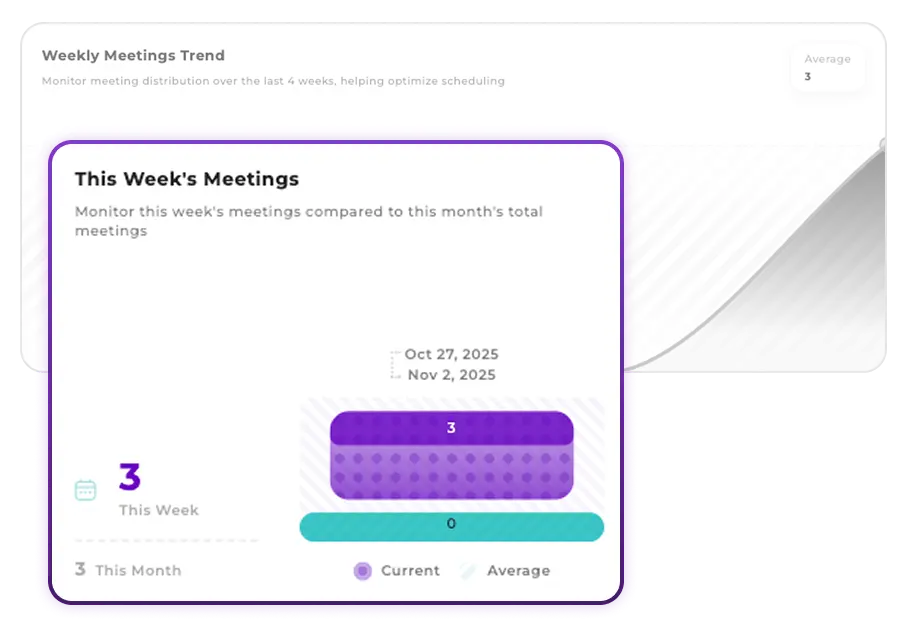
Track comprehensive meeting metrics including total meetings, duration trends, participant counts, and performance indicators. Get detailed insights into your team's meeting patterns with interactive charts and real-time data visualization.
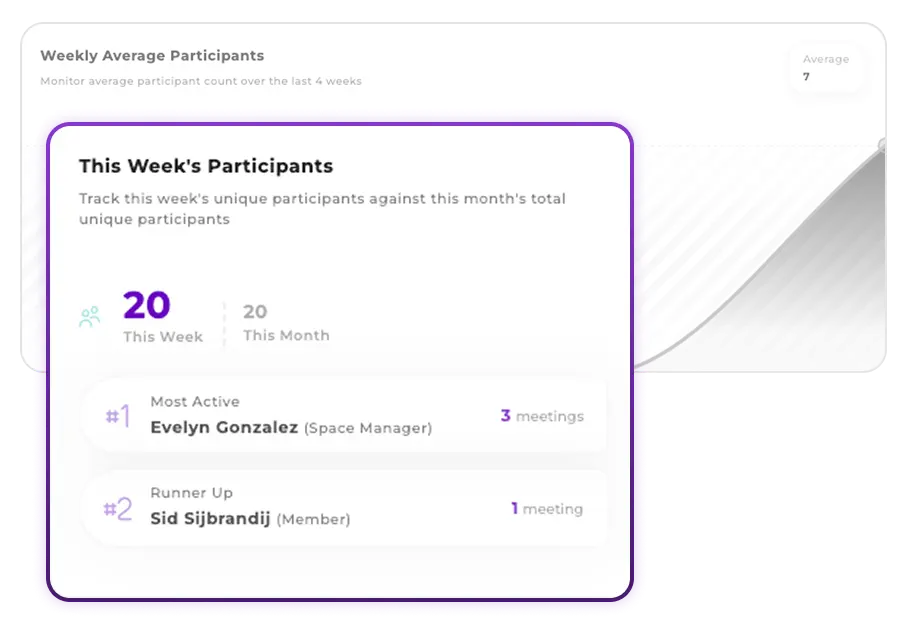
Track Team Meeting Load and Participation
Monitor participant counts and identify meeting-heavy periods. Track weekly and monthly averages to understand your team's meeting load, identify the most active participants, and optimize meeting distribution across your organization.
Dynamic Charts & Time-based Filtering
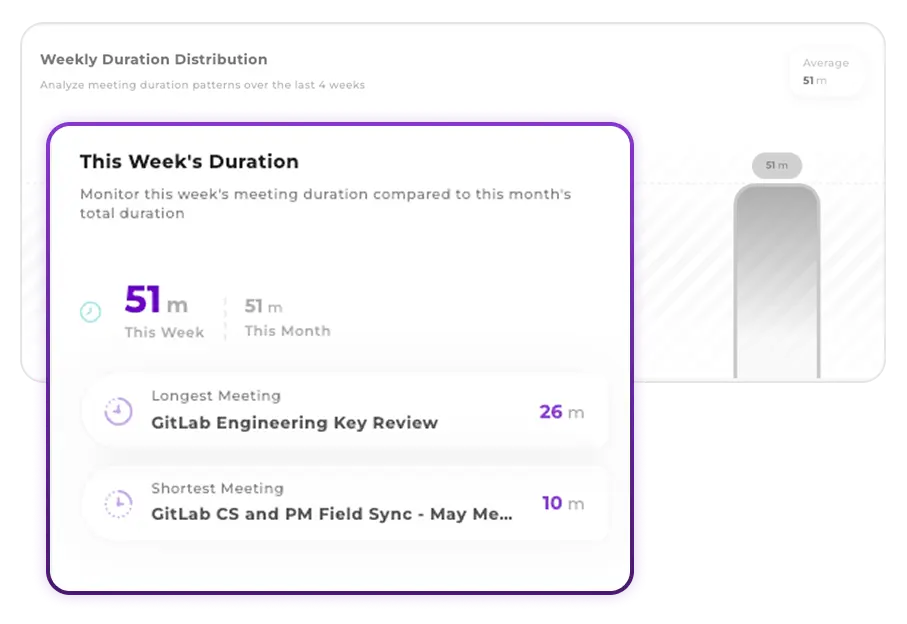
Explore your data with interactive charts, customizable time ranges, and dynamic filtering options. Switch between daily, weekly, and monthly views to understand trends and patterns at different time scales.
Access your comprehensive analytics dashboard and start making data-driven decisions to improve meeting effectiveness and team collaboration.
The dashboard includes comprehensive metrics such as total meetings, duration statistics, participant counts, speaking time analysis, engagement rates, participation patterns, and trend analysis across different time periods.
Yes, you can filter analytics by daily, weekly, or monthly periods. The dashboard provides flexible time range selection to help you analyze trends and patterns at different scales.
Analytics data is updated in near real-time. Meeting metrics are processed and available within minutes of meeting completion, with some basic metrics available during live meetings.
Yes, the dashboard provides export functionality for generating reports and downloading analytics data in various formats for further analysis or presentation purposes.
Analytics access depends on your organization's permission settings. Typically, team members can view analytics for meetings they participated in, while administrators have access to organization-wide analytics.
Open the Speakers tab in the app (Analytics > Speakers) to see talk/listen balance, top and quiet contributors, speaking time trends, and participation insights across your meetings.
Discover more analytics features to gain deeper insights into your meetings
Analyze talk/listen balance, speaking time, and participation patterns across meetings
Analyze speaking patterns, participation levels, and engagement metrics automatically. Discover who dominates conversations and identify communication imbalances to improve team dynamics.
Set your organization's core values and track how they're mentioned in meetings. AI automatically monitors when values are discussed, creating consistent cultural reinforcement across your team.