Overview & Key Points
Get instant AI-powered meeting summaries with overview, key points, and conclusions. Navigate long meetings effortlessly with automatic topic chapters and smart highlights.
Capture every meeting automatically with native Google Meet support and Chrome extension for Teams and Zoom. Navigate recorded meetings effortlessly with timeline previews, auto-generated chapters, and highlighted key moments.
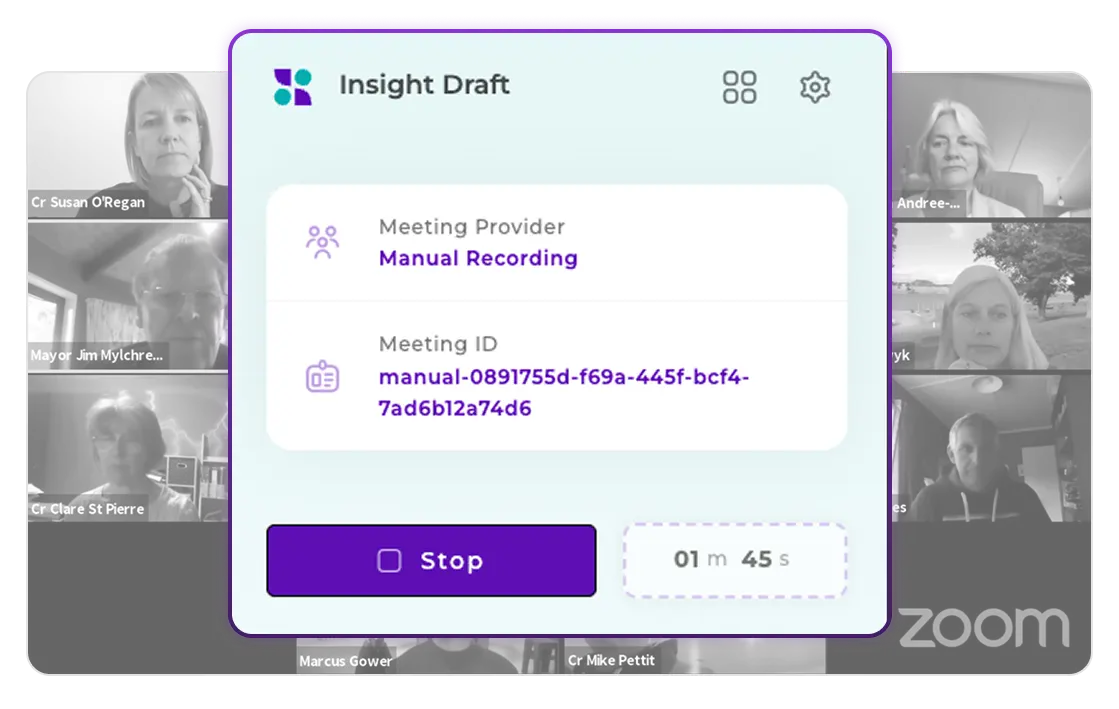
Capture Every Meeting Automatically Across All Platforms
Works natively with Google Meet and via Chrome extension for Microsoft Teams and Zoom. The system detects when you join a meeting and automatically starts recording and transcribing in real-time. All your meetings are captured and organized in one place.
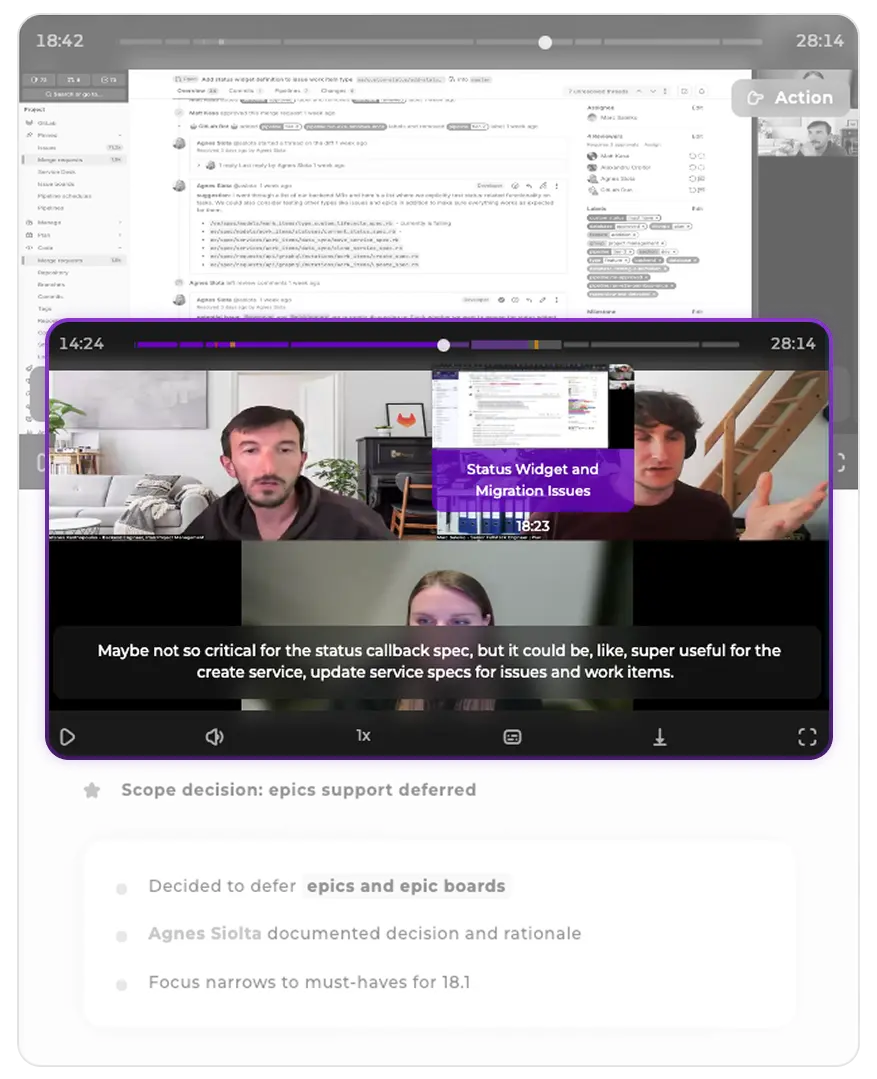
Timeline Previews, Chapters & Subtitles
Navigate through your recorded meetings with visual timeline previews, AI-generated topic chapters, and auto-generated subtitles synchronized with the video.
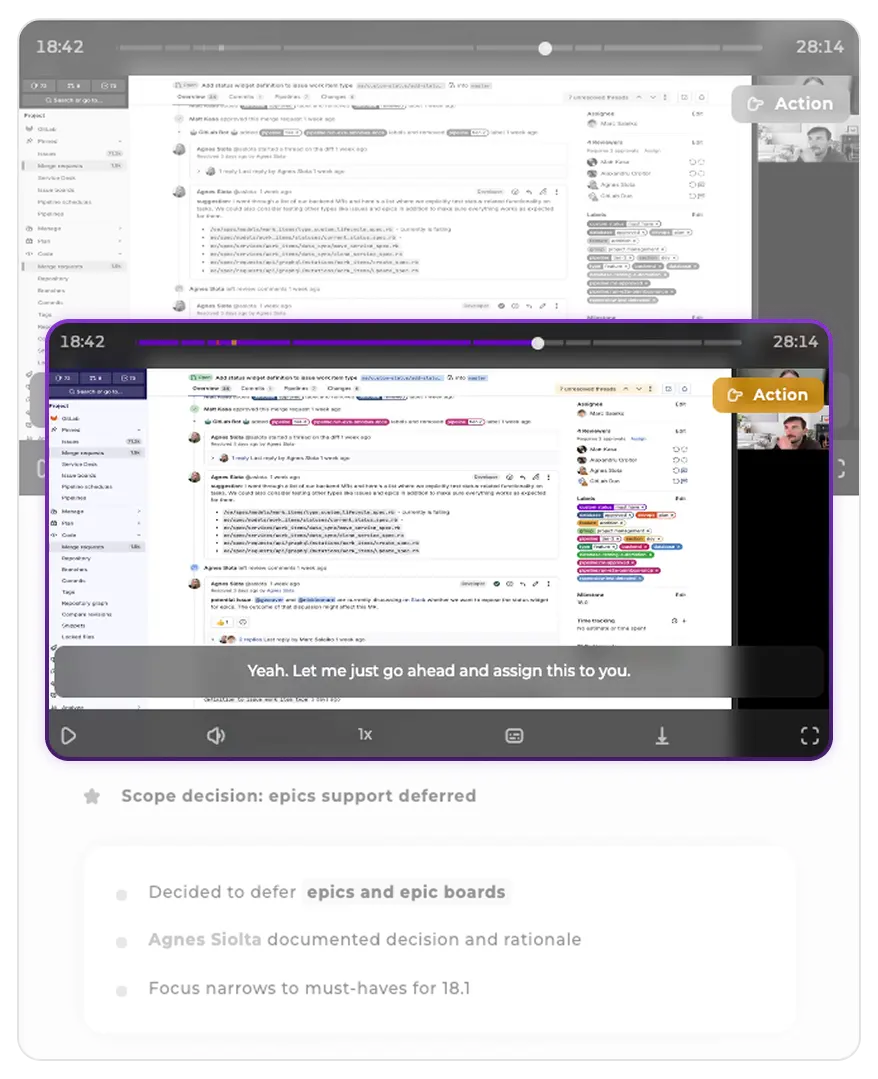
Visual & Audio Highlight Indicators
Important moments are automatically identified and marked on the video timeline. Visual indicators show where decisions were made, action items were assigned, or critical insights were shared. When a highlight plays, an audio indicator alerts you so you know something important is happening.
Join thousands of professionals who never miss important meeting moments. Start capturing, analyzing, and acting on your meeting insights in under 2 minutes. No credit card required.
You can start recording in under 2 minutes. Simply install our browser extension, sign in, and join your next meeting. The system automatically detects and starts recording - no configuration needed. Your first meeting insights will be ready before the meeting ends.
Your meeting data is completely protected. Our system uses advanced backup and recovery technology that continues recording even during connection issues. If your internet drops, the system automatically recovers and continues exactly where it left off - you won't lose a single word.
Absolutely! Whether you use Google Meet, Zoom, Microsoft Teams, or switch between platforms, everything is captured and organized in one unified dashboard. No need to learn different tools or manage separate recordings - it all works seamlessly together.
Your privacy and security are our top priorities. All recordings are encrypted during transmission and storage, with enterprise-grade security measures. Only you and authorized team members can access your meeting data, and you maintain complete control over who sees what.
You have complete control. While the system automatically detects meetings for convenience, you can easily pause recording, exclude specific meetings, or set up custom rules for when to record. The system adapts to your preferences, not the other way around.
Discover more features to enhance your meeting recording and analysis workflow
Get instant AI-powered meeting summaries with overview, key points, and conclusions. Navigate long meetings effortlessly with automatic topic chapters and smart highlights.
Connect your Google Calendar to automatically record scheduled meetings. Never miss a meeting again with intelligent calendar integration that starts recording when your meetings begin.
Analyze speaking patterns, participation levels, and engagement metrics automatically. Discover who dominates conversations and identify communication imbalances to improve team dynamics.